Dark Web Browser Guide 2026: Access Tor Safely & Stay Anonymous
 Andy PoundsAugust 26, 20265 Mins read
What Is a Dark Web Browser?
A dark web browser is specialized software that accesses hidden internet networks unreachable by standard browsers like Chrome or Edge. While normal browsers connect directly to websites, a dark web browser routes traffic through anonymizing networks that mask your identity.
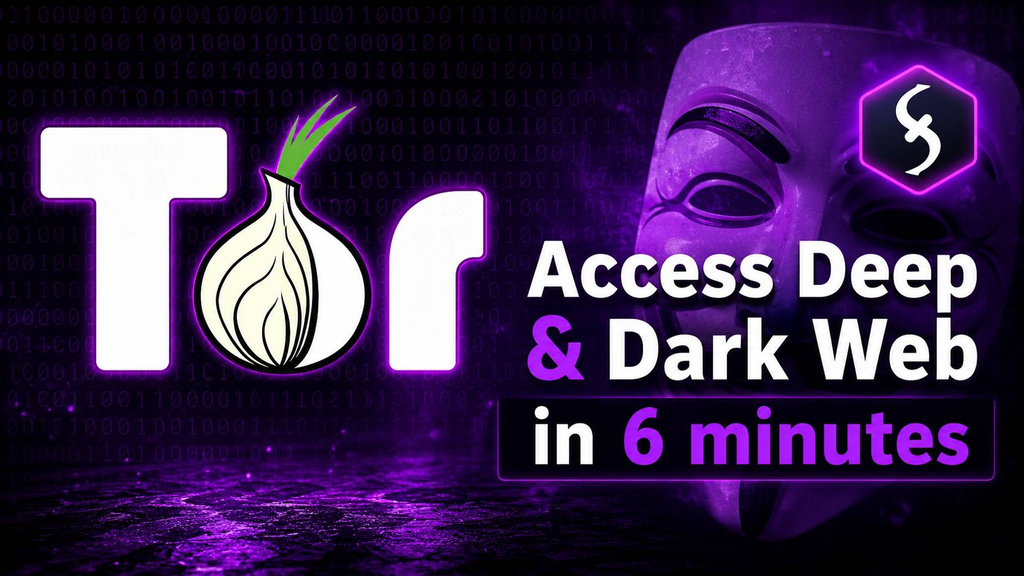
Tor Browser stands as the most trusted dark web browser available. It encrypts your connection and channels it through multiple volunteer-run relays, effectively hiding your IP address and physical location from websites you visit.
However, understanding limitations is crucial. Your Internet Service Provider (ISP) can detect Tor usage. Entry nodes see your real IP address. One operational mistake can compromise your anonymity entirely. Therefore, a dark web browser functions as a privacy tool—not an invisibility cloak. In this post we are explaining the safe ways to access the dark web in 2026.
Best Dark Web Browser for 2026
Tor Browser: The Only Dark Web Browser You Need
Tor Browser remains the gold standard for dark web access in 2026. This free, open-source dark web browser builds on Firefox with privacy-hardening features, including
- Built-in tracker blocking
- JavaScript disabled by default
- Automatic HTTPS enforcement
- Native .onion address support
No other dark web browser matches Tor’s security architecture. Alternatives exist, but Tor’s volunteer relay network and constant updates make it the only recommended choice for serious anonymity.
How to Use Tor Browser Safely
Maximizing your dark web browser security requires following strict protocols:
Window Management
Never maximize your Tor Browser window. Doing so reveals your screen resolution, creating a unique fingerprint that trackers can exploit.
Extension Policy
Avoid installing any browser extensions or plugins. Each addition potentially leaks your real IP address or creates security vulnerabilities.
Identity Separation
Never use personal information within Tor. Create completely separate identities unrelated to your real-world persona.
Download Restrictions
Avoid downloading files while connected to Tor. Downloads may contain malware, tracking code, or executable scripts that compromise your system.
Security Level Configuration
Utilize Tor’s built-in security levels. The “Safest” setting completely disables JavaScript, eliminating a major attack vector.
ALSO READ: TOP DARK WEB BROWSERS FOR 2026
When NOT to Use Your Dark Web Browser
Reserve Tor exclusively for .onion sites and sensitive research. Checking personal email or accessing social media through Tor creates distinctive traffic patterns that actually reduce your anonymity. For regular browsing, use standard browsers with privacy extensions instead.
Understanding Tor’s Limitations
Exit nodes can be monitored by malicious actors. Some relays operate under law enforcement supervision. Consequently, Tor functions as a privacy tool—not a guaranteed safe space. Maintain constant vigilance when using any dark web browser.
Additional Privacy Tools
Relying solely on a dark web browser provides insufficient protection. Implement a layered security approach for serious anonymity.
Tails OS: The Ultimate Companion to Your Dark Web Browser
Tails is a live operating system booting from USB that routes all traffic through Tor. It leaves zero data on host computers and automatically wipes itself after each session. For maximum security, pair Tails with your dark web browser.
Whonix: Virtual Machine Isolation
Whonix runs inside virtual machines, forcing all connections through Tor. Even if your primary operating system becomes compromised, Whonix maintains your anonymity. This solution offers greater flexibility than Tails but requires more technical expertise.
Bridges and Pluggable Transports
When governments block Tor, bridges provide private, unlisted relays. Pluggable transports like obfs4 disguise Tor traffic as random data, bypassing censorship filters effectively.
Encrypted Communication Tools
Complement your dark web browser with these secure communication methods:
| Purpose | Recommended Tool |
|---|---|
| Text & Voice Calls | Signal |
| Encrypted Email | ProtonMail |
| Group Chats | Matrix |
| Sensitive Messages | PGP Encryption |
PGP encryption remains the standard for dark web communication. Learn key generation and signature verification before accessing hidden services.
The Layering Principle
Combine your dark web browser with VPNs, secure operating systems, encrypted communications, and strict operational security. Single-layer protection fails against sophisticated threats. Multiple layers create the “ghost’s arsenal.”
Operational Security Rules
Operational security (op-sec) determines whether you maintain anonymity or face exposure. These rules are absolutely non-negotiable.
Rule 1: Maintain Complete Identity Separation
Never use real names, emails, or phone numbers. Create entirely fabricated identities using anonymous email services like Guerrilla Mail or ProtonMail. Consider burner phones when necessary.
Rule 2: Never Reuse Usernames
Assign unique usernames to every platform. This prevents correlation attacks that could link multiple accounts to a single identity. If one account becomes compromised, others remain protected.
Rule 3: Maintain Absolute Secrecy
Never discuss dark web activities on social media or with friends and family. Each person who knows increases your exposure risk exponentially.
Rule 4: Assume Constant Surveillance
Law enforcement operates nodes, forums, and marketplaces. Treat every site as a potential honeypot. Behave accordingly.
Rule 5: Use Monero, Never Bitcoin
Bitcoin records every transaction on a public blockchain. Monero employs ring signatures and stealth addresses that completely hide transaction details, making it the dark web cryptocurrency standard.
Rule 6: Strict Compartmentalization
Dedicate specific devices to specific purposes. Use one laptop exclusively for dark web browser activities. Maintain separate phones for encrypted communication. Never mix personal and anonymous activities.
Critical Warning: If you cannot follow these operational security rules, avoid the dark web entirely. Mistakes carry severe consequences.
Dark Web Markets & Forums
Most users explore the dark web out of curiosity regarding markets and forums. These hidden services facilitate trade in goods, services, and information—but they present significant dangers.
Marketplace Risks
Dark web markets frequently operate as scams, honeypots, or law enforcement stings. Only engage with established markets possessing proven reputations. Avoid new markets entirely. Always utilize escrow services for transactions.
Safe Market Practices
- Verify URLs meticulously—phishing sites proliferate
- Use PGP encryption to confirm vendor identities
- Never finalize early (FE)—this eliminates buyer protection
- Start with minimal orders to assess vendor reliability
- Never share personal information with sellers
Forum Navigation Strategies
Forums present lower risks than markets but still demand caution. Law enforcement has infiltrated numerous communities. Before asking questions, contribute valuable content. Study rules carefully. Build reputation gradually. Maintain unique credentials for each forum.
Beginner Mistakes to Avoid
New dark web browser users frequently compromise themselves through these errors:
- Using personal information for site registration
- Downloading files while connected to Tor
- Choosing Bitcoin over Monero for transactions
- Trusting unverified strangers without authentication
- Posting identifying details like location or occupation
- Ignoring operational security protocols
Avoid these pitfalls by studying before acting. Never assume safety—verify everything.
Pro Tips from Experts
Maximize your dark web browser security with these expert recommendations:
- Dedicate a specific device—a cheap laptop running Tails OS works perfectly
- Deploy bridges when Tor faces blocking in your region
- Master PGP encryption—essential for secure market transactions
- Verify URLs through trusted directories like the Hidden Wiki or Darknet Live
- Research VPN+Tor configurations thoroughly before implementing
- Keep operational methods private—never share security protocols publicly
- Stay current—the dark web landscape evolves constantly
Frequently Asked Questions
What exactly is a dark web browser?
A dark web browser is specialized software accessing the hidden .onion sites that standard browsers cannot reach. Tor Browser represents the most widely used option.
Which dark web browser works best in 2026?
Tor Browser remains the optimal choice. It receives regular updates, maintains open-source transparency, and offers the most robust anonymization network.
Does Tor Browser provide complete anonymity?
No. While Tor Browser significantly enhances privacy, your ISP detects Tor usage. Exit nodes face potential monitoring. Operational security mistakes can expose your identity.
Should I use a VPN with my dark web browser?
VPN usage with Tor generates debate within privacy communities. Research both perspectives and decide based on your specific threat model and requirements.
Why is Monero preferred over Bitcoin?
Monero conceals transaction details through advanced cryptography. Bitcoin’s public blockchain allows transaction tracing, making Monero the privacy-focused standard.
Are dark web markets genuinely safe?
No. Dark web markets inherently carry risks, including scams and law enforcement operations. Only use established markets with escrow protection and strict operational security.
How do I locate legitimate .onion sites?
Consult trusted directories like the Hidden Wiki or Darknetlive. Always verify URLs carefully and bookmark confirmed legitimate sites.
Final Thoughts: Master Your Dark Web Browser
Dark web browsers serve as tools—not magical solutions. Tor Browser stands as the only dark web browser worth using, but proper technique matters more than software choice. Beyond your dark web browser, implement Tails OS, encrypted communications, and uncompromising operational security.
Markets and forums demand extreme caution. The same rules apply regardless of experience level.
Ready to explore safely? Implement these strategies, stay vigilant, and never stop learning. Your anonymity depends on it.
TRENDING ALSO: NON-VBV CARDS EXPLAINED






Related Articles

Non-VBV Cards Explained: The Truth About 3-D Secure and Payment Authentication
What Are Non-VBV Cards? A Complete Guide for 2026 If you’ve been...

Leave a comment